
Game keys FAQ — amazing practical answers for buying and activating digital codes at GetGameKeys.
How are codes delivered?
How long does delivery take?
How do I track my order?
Do I need an account?
More helpful answers
How are codes delivered?
We email your digital code after payment clears.
How long will delivery take?
Instant products usually arrive within minutes.
How do I track my order?
Open Track Your Order with the order ID and email.
How do I place an order?
Add a title to cart, checkout, then wait for the key email.
How should I contact support?
Reply to your order email and include the order number.
Do I need an account?
Guest checkout works; accounts help reopen past deliveries.
Extended game keys FAQ guide
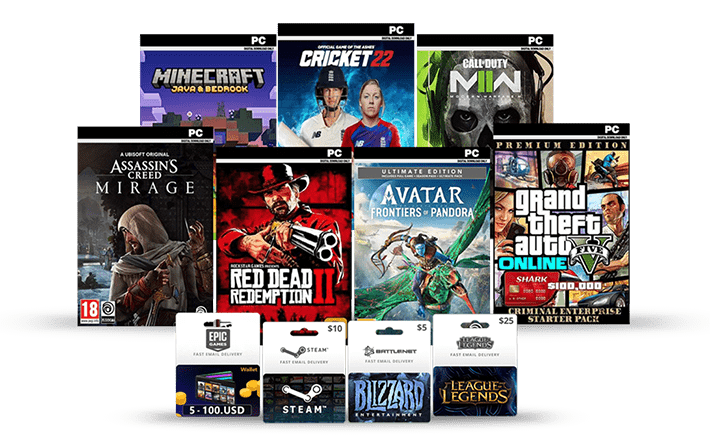
Game keys FAQ on delivery
Most orders are emailed automatically after payment clears.
Manual review items can take longer, so keep an eye on spam folders.
Game keys FAQ for activation
Each listing names the platform and region rules that matter.
Follow the redeem steps in your delivery email carefully.
Platform notes in this game keys FAQ
PC and console catalogs are labeled on every product card.
Compare editions before you pay if features look similar.
Refunds covered by this game keys FAQ
Digital goods follow the Return and Refund Policy.
Contact support quickly if a code fails or the wrong SKU arrives.
Safety tips from our game keys FAQ
Buy only through the official GetGameKeys checkout.
Enable stronger account security after redeeming new titles.
Practical checklist
Confirm the platform name on the product page before you pay.
Match the region note to the country on your gaming account.
Edition labels such as Standard, Deluxe, and Gold change what is included.
Keep the order email. It holds the code and redeem instructions.
Pending payments keep digital delivery on hold until the gateway confirms.
Gift orders still need a correct recipient email address.
DLC usually requires the base game in the same library.
Pre-order codes may unlock on release day instead of instantly.
Read age ratings shown on each listing.
Console buyers should verify Xbox, PlayStation, or Nintendo compatibility.
PC buyers should verify Steam, Epic, Ubisoft Connect, or EA app support.
Enable two-factor authentication after you redeem a new title.
Never share unused codes in public chats or forums.
Send support a screenshot if activation fails.
Wrong-region codes are a common avoidable mistake.
Manual review queues can move slower overnight.
Holiday traffic can delay payment confirmation emails.
Saved wallets speed up repeat checkouts in your account.
Wishlist entries help you revisit titles without losing details.
Store policies live on the refund and privacy pages.
Trusted checkout always stays on the getgamekeys.com domain.
Double-check autofill email fields on mobile and desktop.
The mobile cart uses the same catalog as desktop.
Install platform client updates after redeeming.
Cross-play rules come from publishers, not key retailers.
Season pass products are labeled clearly when offered.
Bonus content sometimes arrives as a second code line.
Include your order number in the first support message.
Catalog stock can change without long notice windows.
Compare feature lists when two editions look similar.
Language packs may differ by SKU even for the same title.
Account sharing after redemption can violate platform rules.
Refund windows shrink after a code is revealed or redeemed.
Use official platform redeem screens only.
Bookmark Track Your Order for fast status checks.
Invoice PDFs in My Account help with payment disputes.
Currency display depends on your store settings and gateway.
VPN use during redemption can trigger region errors.
Family sharing features vary by platform and are not guaranteed by the key itself.
When in doubt, open the product details or contact support before paying.
Browser notifications are optional and never required to complete checkout.
Clear cache if an old price appears after a catalog update.
Multi-pack listings state how many codes are included.
Some publishers require linking a third-party launcher after redeem.
Keep antivirus software from quarantining delivery emails with attachments.
Digital receipts are usually available under order details.
Customer notes at checkout help support identify special requests.
Stock alerts are informational and do not reserve inventory forever.
This game keys FAQ page pairs with the accordion answers above.
Bookmark this game keys FAQ if you buy digital codes often.
Share this game keys FAQ with friends who are new to key shops.
Our game keys FAQ stays updated as store policies evolve.
Read more on digital game distribution and Steam Support.